Calm Down Fast mobile app · Android
Simple exercises for anxiety, tension and difficulty relaxing
Choose how you feel and try a breathing, movement or attention exercise. The app shows you what to do, step by step.

Android · Google Play · Two free exercises · One-time full-access purchase · No subscription

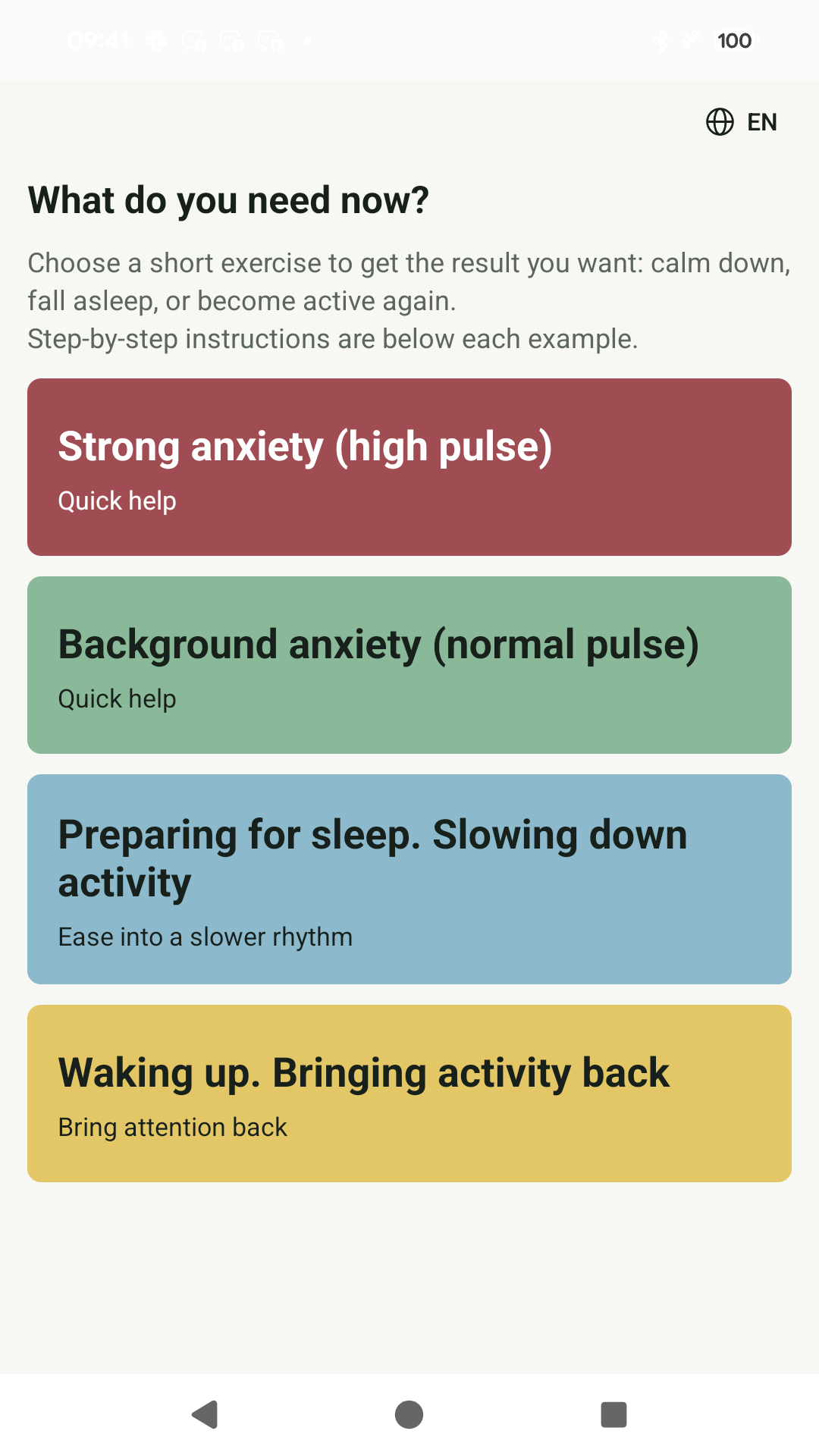
Made for everyday moments
When the app may be useful
Before a meeting, when your heart is racing.
After a long afternoon of feeling on edge.
In bed, when your mind is still at work.
At 3 pm, when keeping your eyes open is a task.
Start where you are
How do you feel right now?
You don’t need the right words. Just choose what feels closest.
Star with your eyes A simple visual path for your eyes to follow. One clear action to turn your attention to.
How to choose an exerciseLess choosing. More doing.
How to use Calm Down Fast
- 01
Choose your current state
Open the app and choose the section, out of the four available, that best matches how you feel now.
- 02
Choose an exercise
Browse the exercises in that section. Read the instructions and limitations before you start.
- 03
Follow the demonstration
Repeat the movements or follow the rhythm at a comfortable pace. You can skip any movement and stop the exercise.
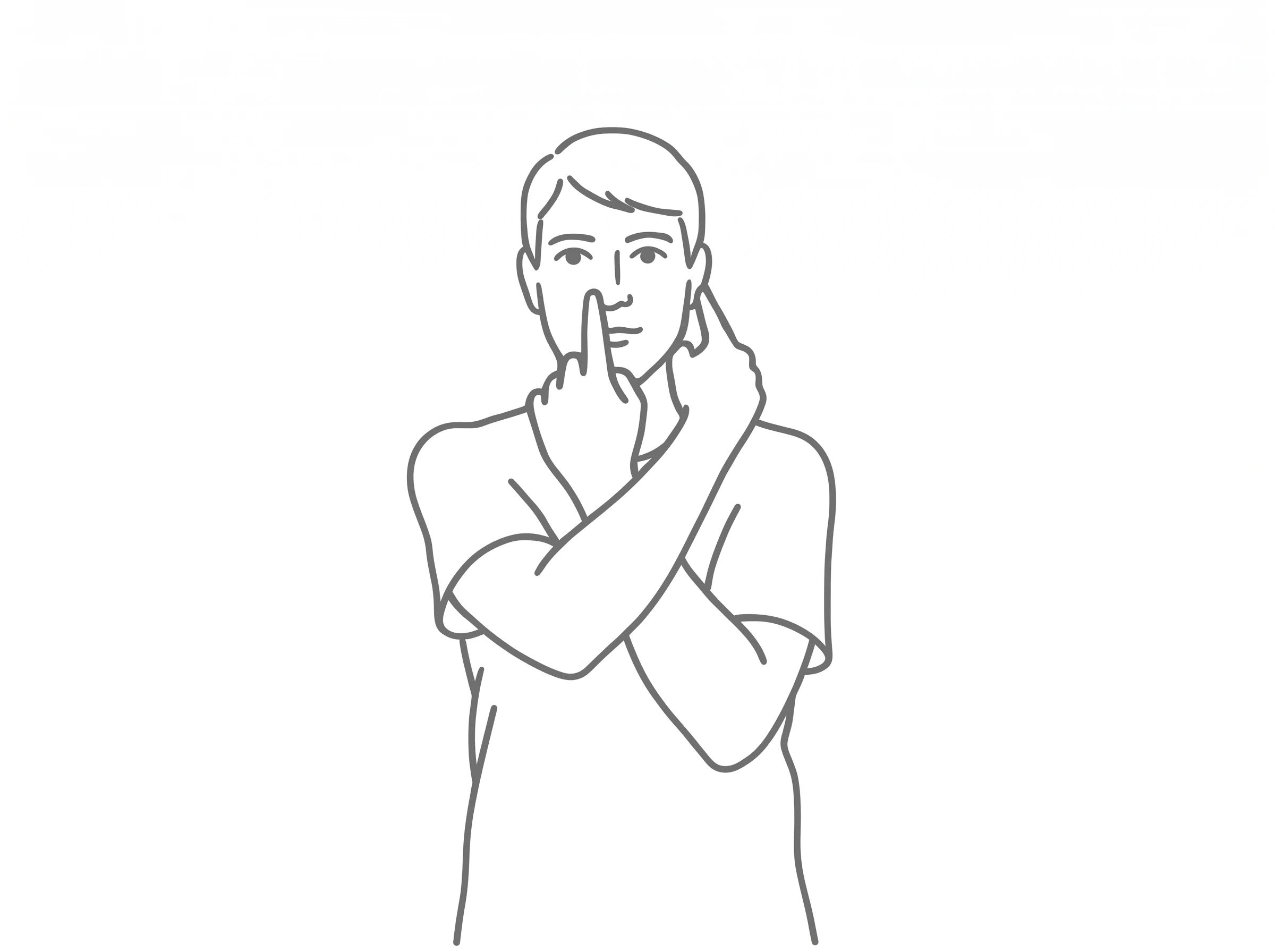
Small actions, clearly shown
Available exercises
Breathing, movement, relaxation and attention
A movement to copy. A rhythm to follow. Something simple to bring your attention to.
- Breathing exercises
- Follow the breathing rhythm shown in the app.
- Muscle relaxation
- Alternate between tensing and relaxing your muscles.
- Movement and coordination
- Repeat the hand and body movements demonstrated by the model.
- Eye movements
- Watch the example, then direct your gaze along the pattern on your own. You do not need to track a moving object.
- Attention exercises
- Count, subtract and try other short tasks.
The thinking behind the exercises
Familiar techniques, clear limits
The app brings together exercises involving breathing rhythms, muscle tension and relaxation, movement and directed attention. Breathing techniques and progressive muscle relaxation have been studied as approaches to relaxation. This does not mean that every breathing, movement or eye exercise has the same evidence behind it. Calm Down Fast also includes coordination and counting tasks: these are described in terms of what you do, without promising a particular result. Consider how you feel, a comfortable body position and the space available when choosing an exercise. Read the instructions and limitations before starting. Do not push through discomfort or force a result. The app helps structure an everyday pause and does not replace medical care.
Research on individual techniques does not establish that this app or every exercise produces a particular result. Experiences vary; no outcome is guaranteed.
Why these exercises?Keep it simple
Try two exercises for free
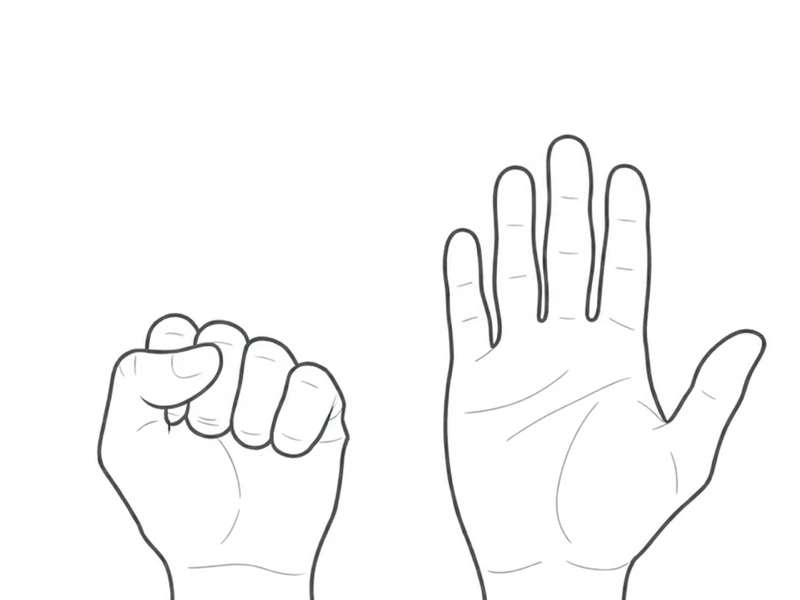
No Calm Down Fast account is needed. Star with your eyes and Fist-palm are free in the Android app. The full collection opens with a one-time Google Play purchase, without a subscription. Restore your purchase through the Google Play account used to buy it.
Your pause is yours. No ads, accounts or analytics tracking.
What is Calm Down Fast?Everyday self-help. Not medical advice or treatment.
Do I need an account or subscription?
No Calm Down Fast account is needed. Star with your eyes and Fist-palm are free in the Android app. The full collection opens with a one-time Google Play purchase, without a subscription. Restore your purchase through the Google Play account used to buy it.
How much time do I need?
Many exercises fit into a short break. Some bedtime exercises ask for longer. Follow the guidance for the exercise you choose; there’s no need to rush.
Can I stop an exercise?
Yes. You can stop at any time and skip any uncomfortable movement. Stop if you feel discomfort.
Can I use it offline?
Installed exercises work offline. Installing the app, purchasing and restoring full access require access to Google Play.
Is this medical care?
No. Calm Down Fast is an everyday self-help utility, not therapy, treatment or emergency support. Stop if an exercise feels uncomfortable.
Keep it simple
Install free from Google Play
No scrolling through hundreds of sessions. No meditation experience required. Check how you feel, follow the model, and take it from there.
Android · Google Play · Two free exercises · One-time full-access purchase · No subscription